How to install Hosted Payment Page Gateway
Download the Plugin Zip File #
-
After completing your order, check your email inbox for a message titled “Your order of 3DS 2 – First Atlantic Commerce Hosted Payment Page Gateway for WooCommerce by GDC is completed“.
-
Open the email and locate the “Download” button.
-
Click the button to download the plugin zip file to your computer.
Log in to Your WordPress Admin Dashboard #
-
Open a web browser and navigate to the admin dashboard of your WordPress website.
-
Enter your login credentials to access the dashboard.
Upload the Plugin #
-
Once logged in, go to the “Plugins” section on the left-hand side menu.
-
Click on “Add New” under the Plugins sub-menu.
-
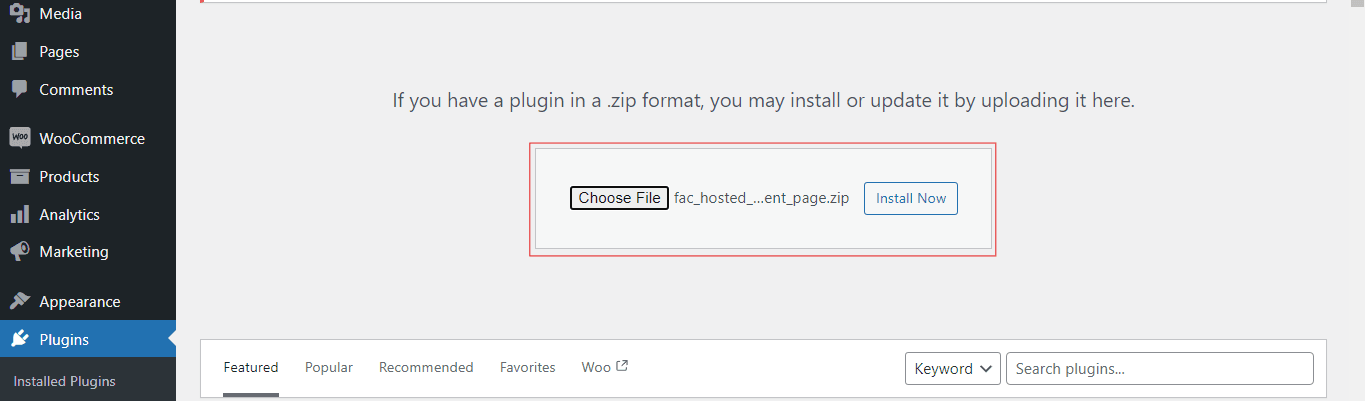
Choose the “Upload Plugin” option at the top of the page.
-
Click on the “Choose File” button and select the plugin zip file you downloaded earlier.
-
After selecting the file, click on the “Install Now” button to upload the plugin to your WordPress site.
Install and Activate the Plugin #
-
After the upload is complete, click on the “Activate Plugin” link to activate the plugin on your website.
-
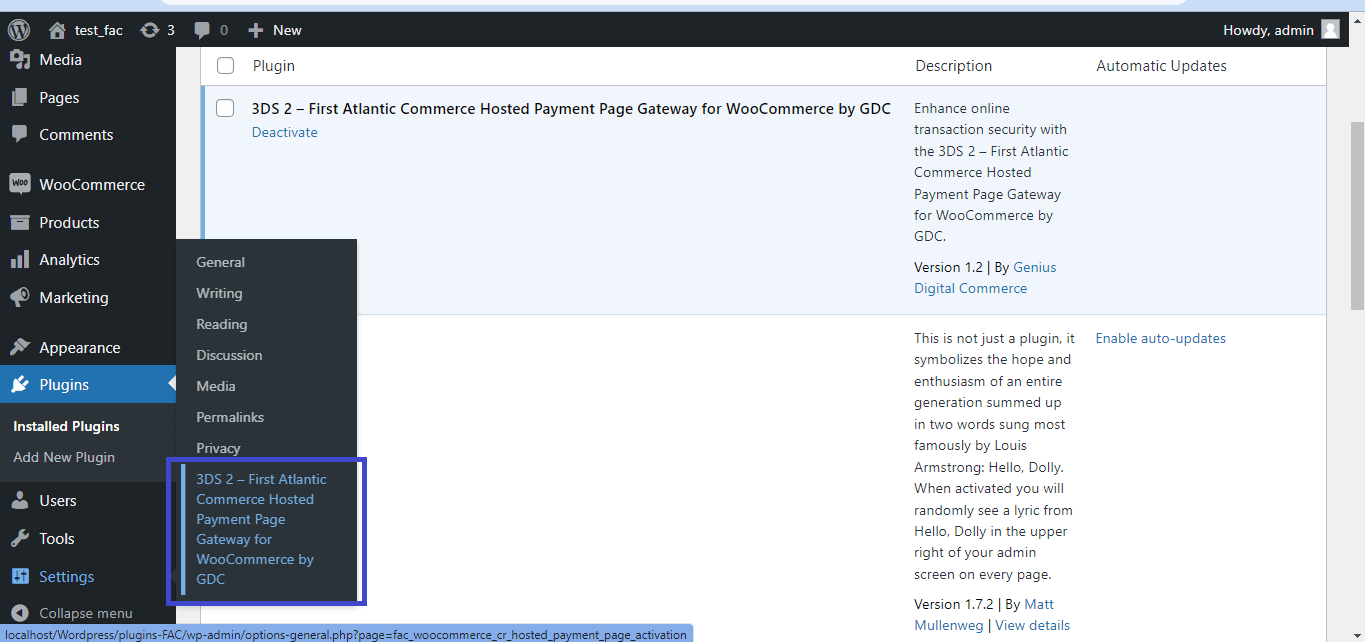
Activate Your Subscription: Once the plugin is activated, navigate to the “Settings” menu in your WordPress admin dashboard. Select the “FAC Payment Gateway Activation” option from the dropdown menu.
-
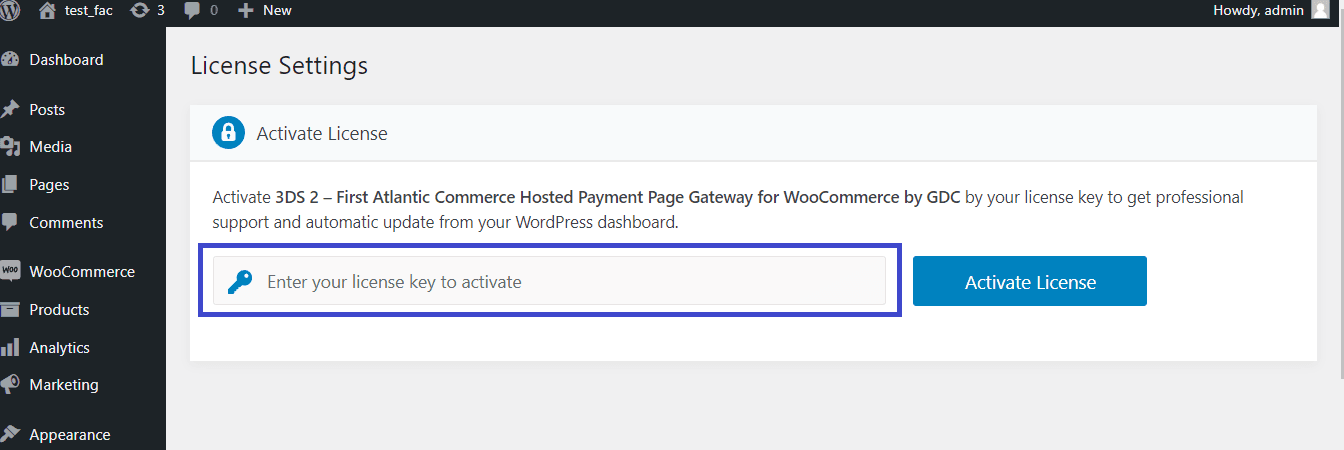
You will be prompted to enter the activation code that was sent to you via email.
-
the activation code from the email received to activate your subscription in order to begin using the plugin.
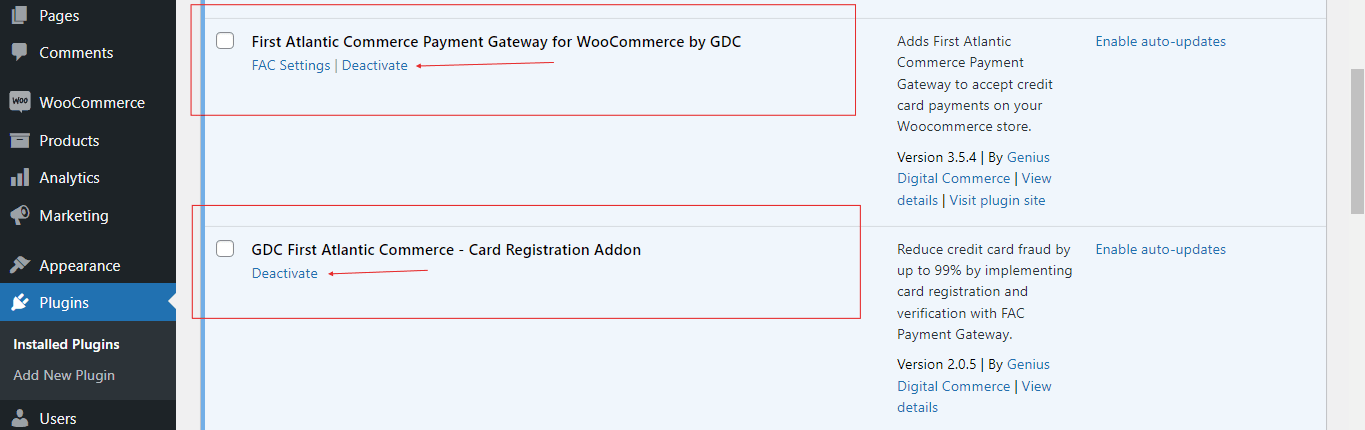
 Note: If you already have these two plugins, disable them or you can even remove them before installing the Hosted Payment Page Gateway plugin as this is enough.